Oracle EM 24ai: Install the partitioning option on the EM repository database
May 30, 2025 Leave a comment
Problem:
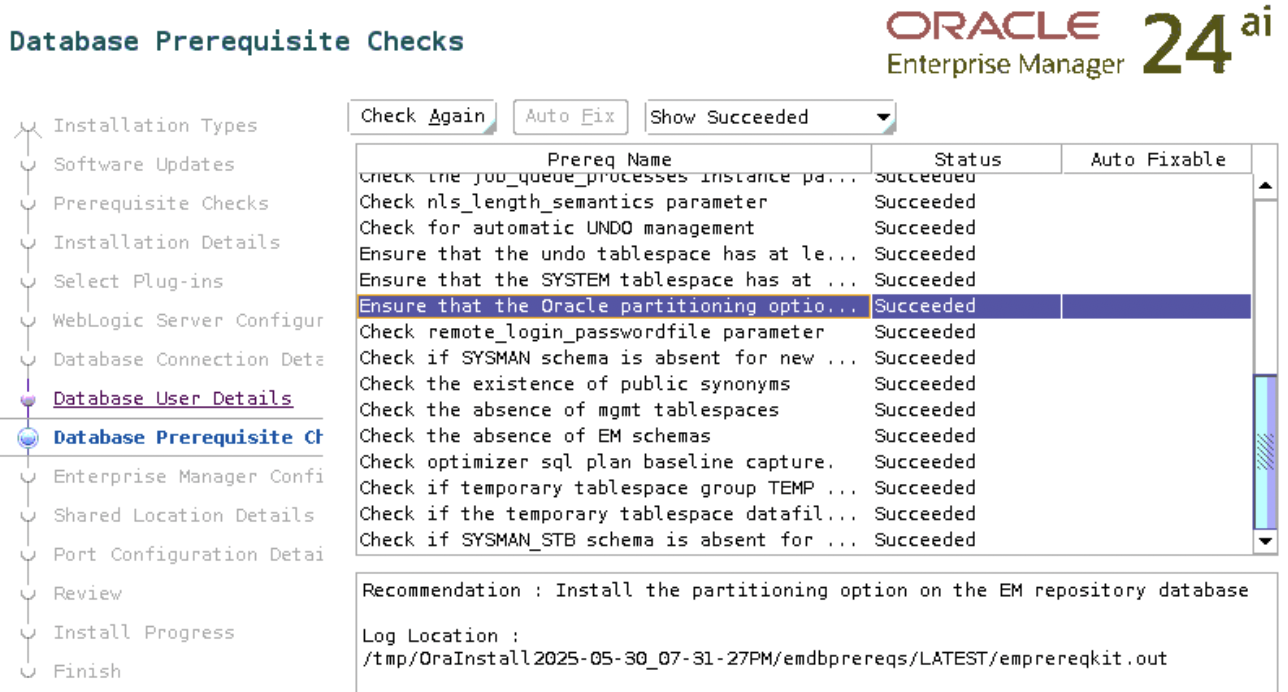
While installing Oracle Enterprise Manager 24ai, the check “Ensure that the Oracle partitioning option is installed” failed.
Toubleshooting:
Check if the EM repository database (the database you selected for the EM repository) has partitioning enabled:
SQL> select value from v$option where parameter = 'Partitioning';

VALUE
----------------------------------------------------------------
FALSE
The output above indicates that the partitioning is disabled.
Solution:
Let’s not think about the licensing part yet, since we are currently using Oracle for learning.
If partitioning is disabled, enable it on the database as follows:
1. Shut down the database using srvctl or sqlplus:
srvctl stop database -d orclasm
2. Connect to the database server as RBDMS owner and run the following commands:
$ su - oracle
$ cd $ORACLE_HOME/bin
$ chopt enable partitioning
The output of the command would appear as follows:
Writing to /u01/app/oracle/product/23ai/dbhome_1/install/enable_partitioning_2025-05-30_21-46-30PM.log...
/usr/bin/make -f /u01/app/oracle/product/23ai/dbhome_1/rdbms/lib/ins_rdbms.mk part_on ORACLE_HOME=/u01/app/oracle/product/23ai/dbhome_1
/usr/bin/make -f /u01/app/oracle/product/23ai/dbhome_1/rdbms/lib/ins_rdbms.mk ioracle ORACLE_HOME=/u01/app/oracle/product/23ai/dbhome_1
3. Start the database using srvctl or sqlplus:
srvctl start database -d orclasm
4. Connect to the database using sqlplus and verify the option status again:
SQL> select value from v$option where parameter = 'Partitioning';

VALUE
----------------------------------------------------------------
TRUE
5. Rerun the check again
It shows succeeded this time:
 About Mariami Kupatadze
 DBA Knowledge Base