Make Chrome trust your self-signed Root CA on macOS

Problem

Harbor: Self-signed certificates are suitable for quick localhost tests, but they are not recommended for production or shared environments.

Chrome shows “Not Secure” for my test Golden Gate 23ai setup, where I decided to use a self-signed certificate:
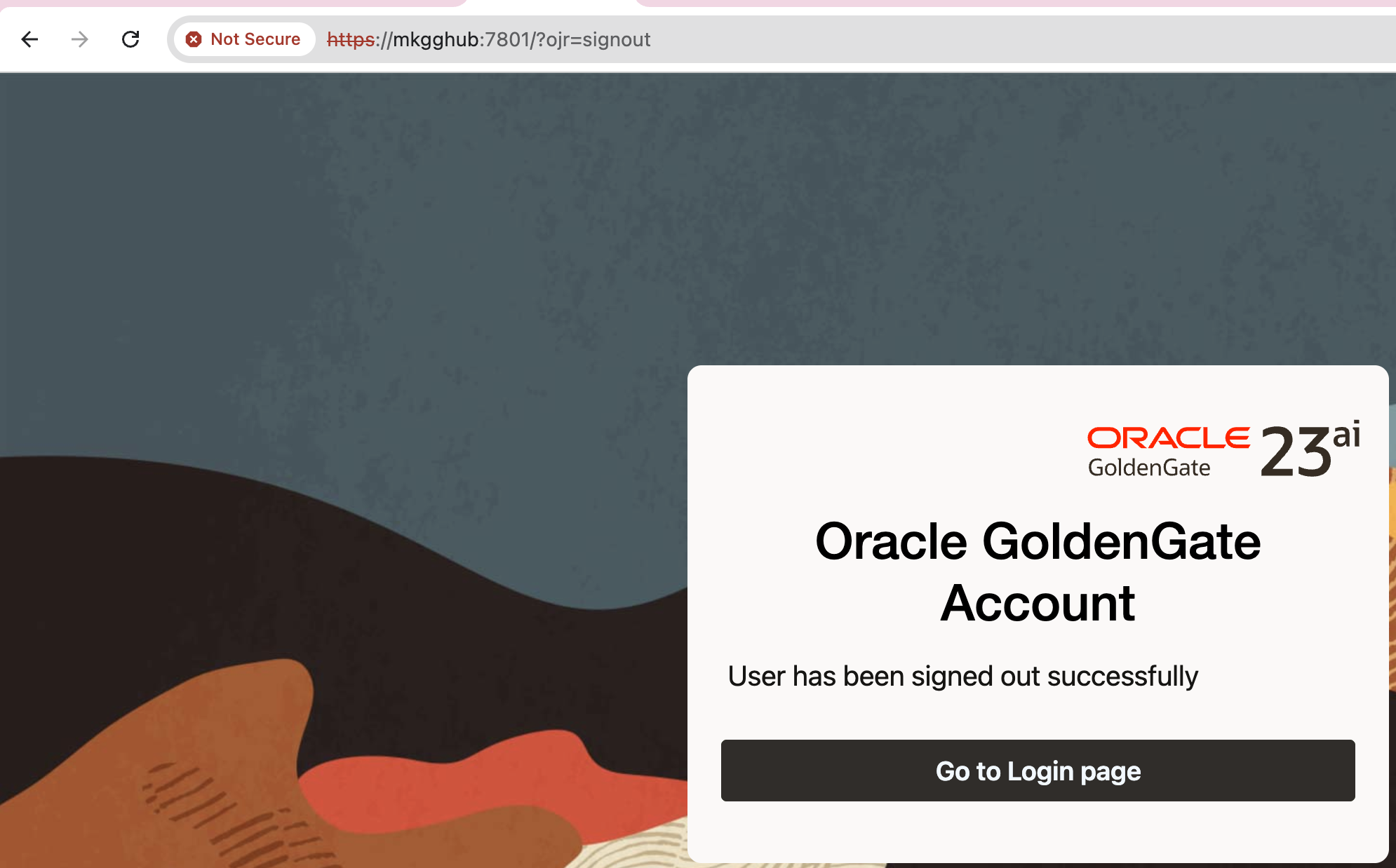
Chrome does not trust the issuer (my self-signed Root CA), which is normal.

Solution

We need to trust Root CA on macOS. For the command line, please see below.
I will start by explaining the GUI version for better visibility. However, I also have a simple command available, please check below.

  • Open Keychain Access -> System keychain -> File -> Import Items… -> pick ca-cert.pem.

If you cannot find Keychain Access, then type chrome://certificate-manager/ in URL and click Manage imported certificates from MacOS
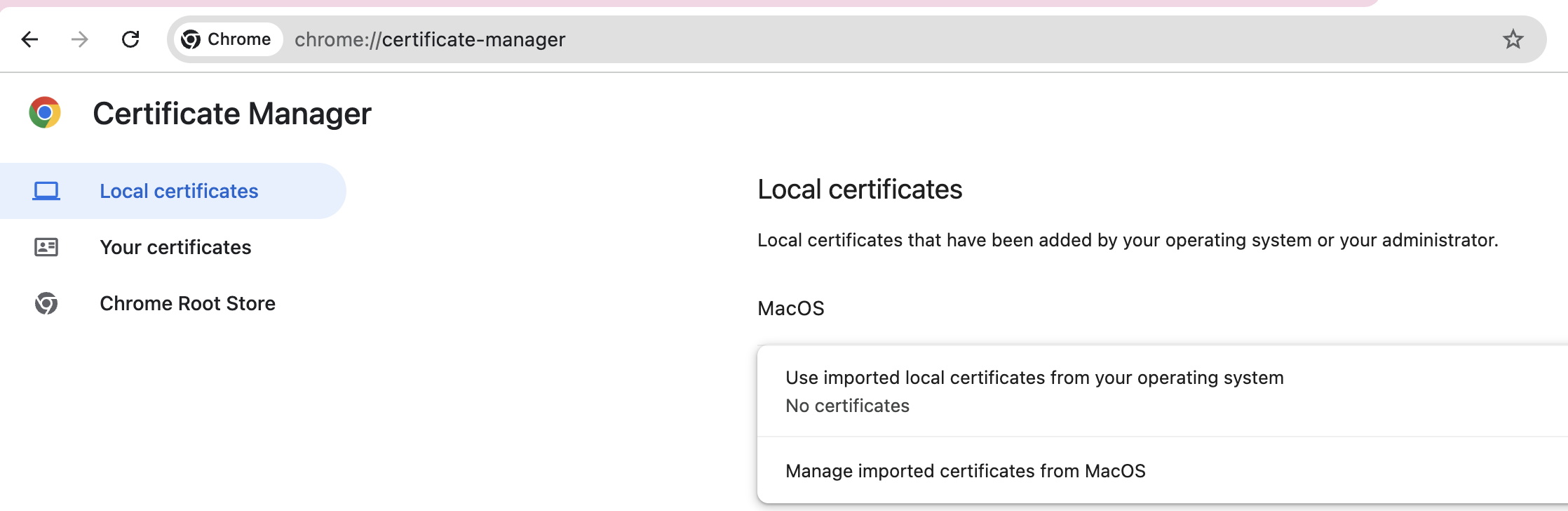
On the pop-up window, choose Open Keychain Access:
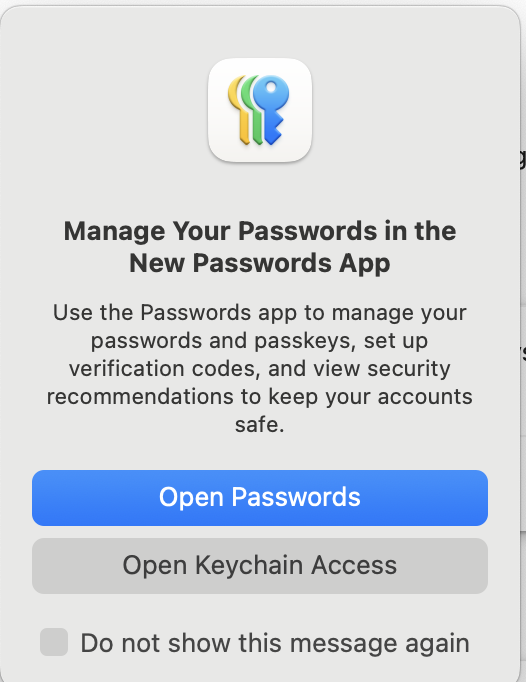
Since you are in the right section, now you can check the steps that I provided before.

  • Double-click the CA -> Trust -> When using this certificate: Always Trust.
  • Quit & reopen Chrome.

CLI equivalent:

$ sudo security add-trusted-cert -d -r trustRoot \
  -k /Library/Keychains/System.keychain ca-cert.pem

Running the above command will install ca-cert.pem in the correct location. You still need to restart Chrome.

After restarting the Chrome, here is the result:
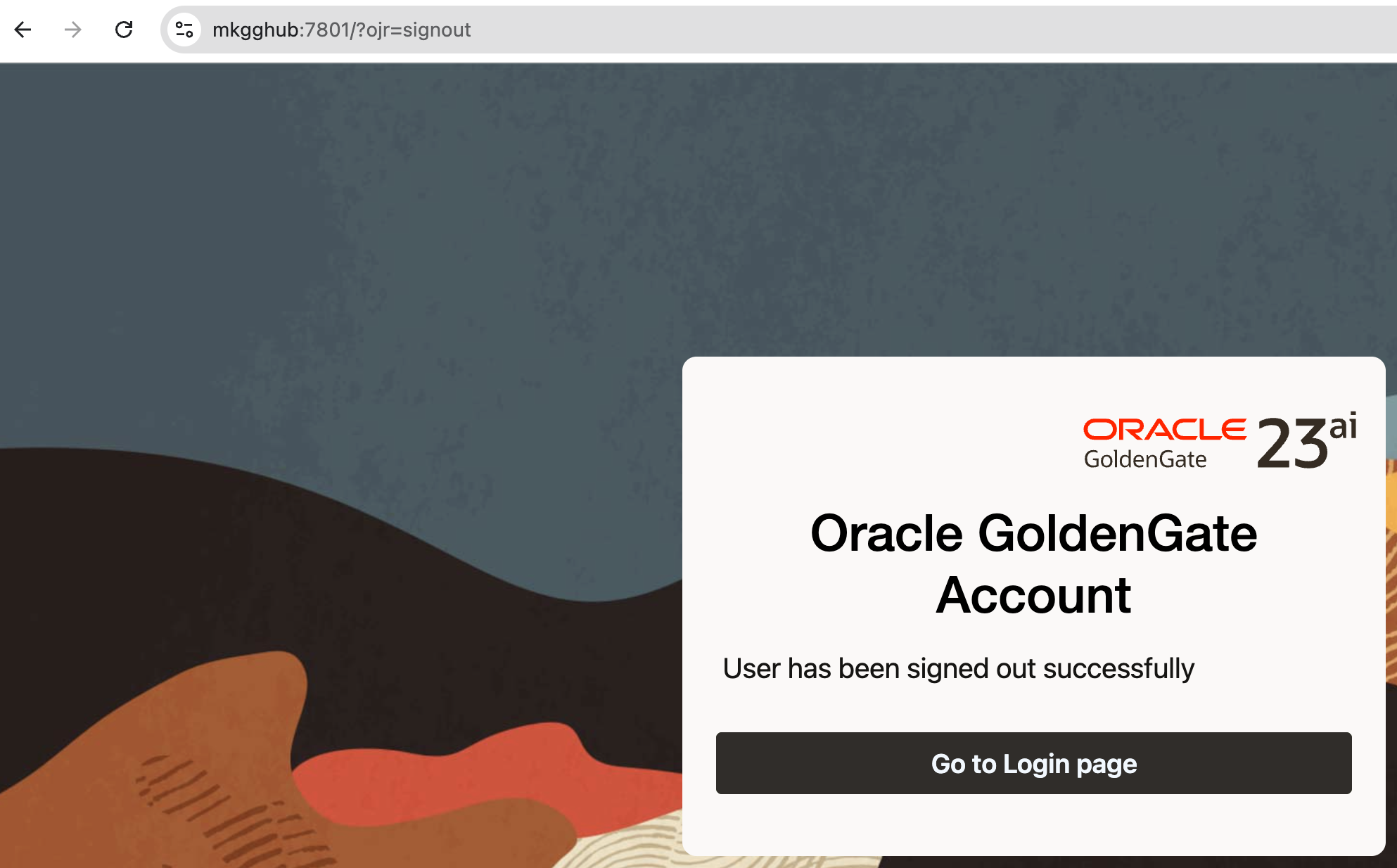
Note: Make sure your server certificate includes a Subject Alternative Name (SAN) for the exact hostname you’re visiting (e.g., mkgghub). CN alone isn’t enough for modern browsers.

/usr/local/Homebrew/Library/Homebrew/os/mac/version.rb:32:in `block in from_symbol’: unknown or unsupported macOS version: :dunno (MacOSVersionError)

Problem:

I am not able to install any software with brew on my Mac:

brew install iostat-tool
...
Traceback (most recent call last):
	11: from /usr/local/Homebrew/Library/Homebrew/brew.rb:31:in `<main>'
	10: from /usr/local/Homebrew/Library/Homebrew/brew.rb:31:in `require_relative'
	 9: from /usr/local/Homebrew/Library/Homebrew/global.rb:80:in `<top (required)>'
	 8: from /usr/local/Homebrew/Library/Homebrew/vendor/portable-ruby/2.6.3_2/lib/ruby/2.6.0/rubygems/core_ext/kernel_require.rb:54:in `require'
	 7: from /usr/local/Homebrew/Library/Homebrew/vendor/portable-ruby/2.6.3_2/lib/ruby/2.6.0/rubygems/core_ext/kernel_require.rb:54:in `require'
	 6: from /usr/local/Homebrew/Library/Homebrew/os.rb:7:in `<top (required)>'
	 5: from /usr/local/Homebrew/Library/Homebrew/os.rb:43:in `<module:OS>'
	 4: from /usr/local/Homebrew/Library/Homebrew/os/mac.rb:65:in `prerelease?'
	 3: from /usr/local/Homebrew/Library/Homebrew/os/mac.rb:28:in `version'
	 2: from /usr/local/Homebrew/Library/Homebrew/os/mac/version.rb:32:in `from_symbol'
	 1: from /usr/local/Homebrew/Library/Homebrew/os/mac/version.rb:32:in `fetch'
/usr/local/Homebrew/Library/Homebrew/os/mac/version.rb:32:in `block in from_symbol': unknown or unsupported macOS version: :dunno (MacOSVersionError)
...

Solution:

Reset brew and reinstall:

brew update-reset

==> Fetching /usr/local/Homebrew...
remote: Enumerating objects: 19541, done.
remote: Counting objects: 100% (239/239), done.
remote: Compressing objects: 100% (130/130), done.
remote: Total 19541 (delta 118), reused 179 (delta 79), pack-reused 19302
Receiving objects: 100% (19541/19541), 40.18 MiB | 32.55 MiB/s, done.
Resolving deltas: 100% (9869/9869), done.
From github.com:giobero/mydocflow
 * [new branch]          deployed-master   -> origin/deployed-master
 * [new branch]          dev               -> origin/dev
 * [new branch]          extjs4            -> origin/extjs4
 * [new branch]          extjs5            -> origin/extjs5
...


➜ /bin/bash -c "$(curl -fsSL https://raw.githubusercontent.com/Homebrew/install/HEAD/install.sh)"

==> Checking for `sudo` access (which may request your password)...
Password:
==> This script will install:
/usr/local/bin/brew
/usr/local/share/doc/homebrew
/usr/local/share/man/man1/brew.1
/usr/local/share/zsh/site-functions/_brew
/usr/local/etc/bash_completion.d/brew
/usr/local/Homebrew

Press RETURN/ENTER to continue or any other key to abort:
==> /usr/bin/sudo /usr/sbin/chown -R mari:admin /usr/local/Homebrew
==> Downloading and installing Homebrew...
remote: Enumerating objects: 59221, done.
remote: Counting objects: 100% (10444/10444), done.
remote: Compressing objects: 100% (49/49), done.
remote: Total 59221 (delta 10405), reused 10419 (delta 10393), pack-reused 48777

Make sure that brew was installed:

brew doctor

Please note that these warnings are just used to help the Homebrew maintainers
...

Warning: Broken symlinks were found. Remove them with `brew cleanup`:
  /usr/local/share/zsh/site-functions/_brew_cask

Run cleanup:

brew cleanup

Reinstall the target software:

brew install iostat-tool

==> Tapping homebrew/cask
Cloning into '/usr/local/Homebrew/Library/Taps/homebrew/homebrew-cask'...
remote: Enumerating objects: 706890, done.
remote: Counting objects: 100% (250/250), done.
remote: Compressing objects: 100% (169/169), done
...

Retrieving the Public Key for Key Pair on Linux or Mac OS

ssh-keygen command can be used on Linux or Mac OS to retrieve the public key from the private SSH key:

$ ssh-keygen -y -f MyKeyPair.pem 
ssh-rsa AAAAB3NzaC1yc2EAAAADAQABAAABAQChauLwkBK/vIiFY/t7uY6lzxESqZkZNvCAA3L42OH2fWzKptqGF+N32zjmLLSPFpYjoEHoHpi5e7yypTmiljtHcKUTwJTs3xclQrApCQvR+LneOi/5P5WaYl61G76osJesXiunLTa+RVr3LDR96LjPcql7JDnuh1RFhDqZ87nDfcGmXGV8iG7w3bk3R/2LuzzMYTgEVdv91S1OF1roH1baPXSV8MaYbOKhMUqV61+eP6/F5ZhT5Gk0BKX1KnQ3/gbgMqjMWRMZzYUeVjUbC52lYwrrBTQX5tHphAJtOTNJ/CpyuEuZ7ED+XYhX9Q1DNOZ47K51xbg5lsnyOBYSUqHz

-y – This option will read a private OpenSSH format file and print its public key.
-f – Specifies the filename of the key file.