Install New Unicode Character Set in Oracle(Locale Builder)

Locale Builder is an utility to view, modify, or define locale-specific data. As well as to create your own formats for language, territory, character set, and linguistic sort.

I will show you how to create .nlb(binary file) from .nlt(text file).

First of all, let’s discuss what NLT file is.

NLT file content is in xml format which can be created by Oracle Locale Builder(located in %ORACLE_HOME%\nls\builders\lbuilder.bat.)

1. Run lbuilder.bat

Choose File->New->Character Set.

As you can see every field is free, for better understanding let me open already created character set

Oracle_Locale_Builder_General


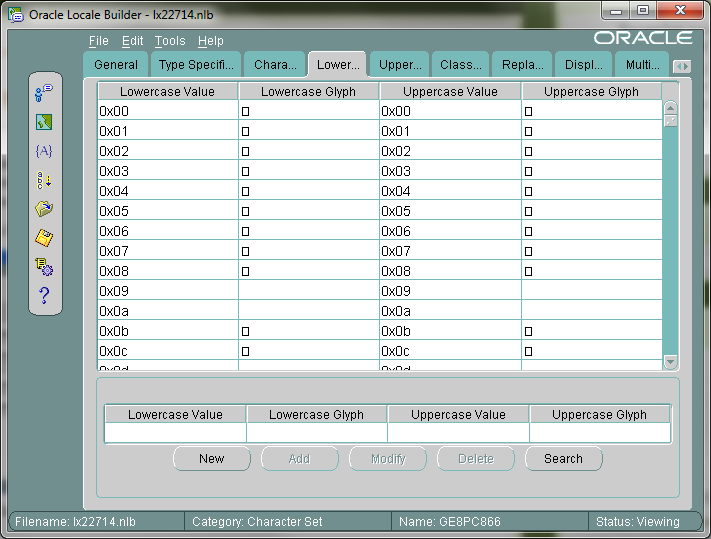
Oracle_Locale_Builder_Type_Specific


Oracle_Locale_Builder_Character_Data_Mapping

Oracle_Locale_Builder_LowerToUppercase_Mapping

Oracle_Locale_Builder_UpperToLowercase_Mapping

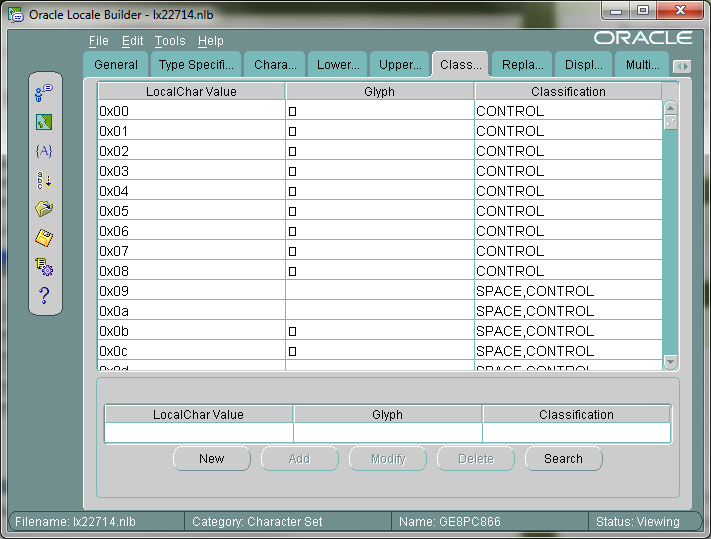
Oracle_Locale_Builder_Character_Classification

Oracle_Locale_Builder_Replacement_Characters

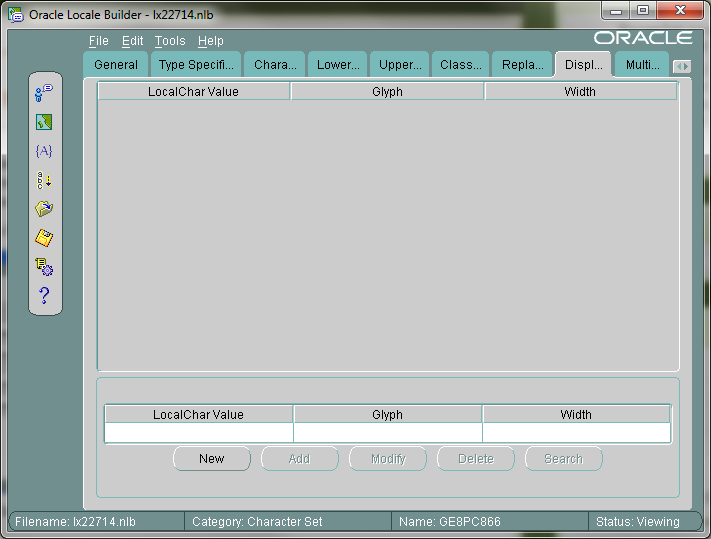
Oracle_Locale_Builder_Display_Width

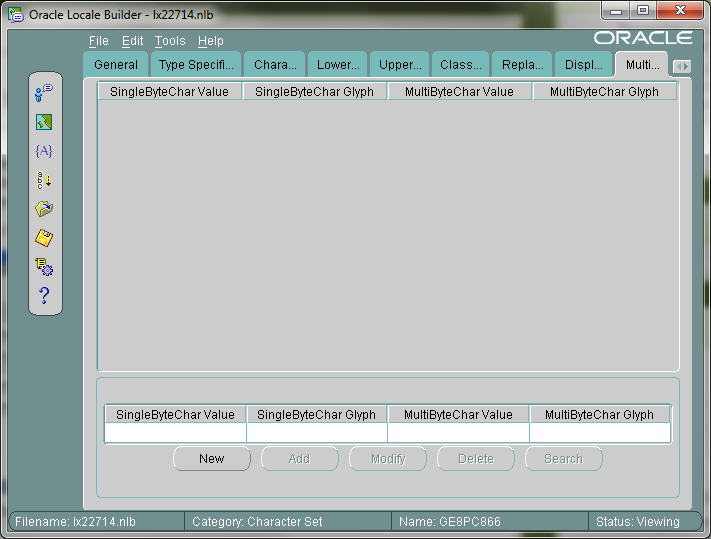
Oracle_Locale_Builder_Multibyte_Equivalent

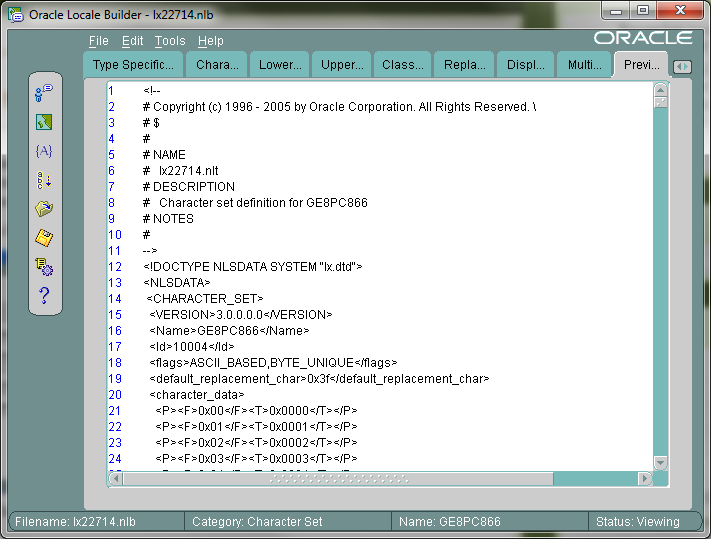
And the last one shows the NLT file content.

Oracle_Locale_Builder_Preview_NLT

As you can see content is in XML format.

As I said previously NLT file is a text file, but Oracle needs NLB, binary file. Oracle Locale Builder gives the ability to create NLB file from NLT file. Let’s do it.

I consider the situation when we already have NLT file.

2. Run Locale Builder.

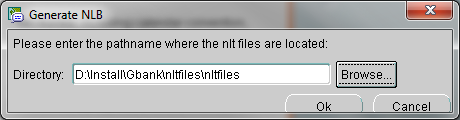
Click Generate NLB icon.

Oracle_Locale_Builder_Generate_NLB

Choose the path where your NLT files are.

Be careful, after browsing the folder path I’ve noticed that something wrong is in the path:

Oracle_Locale_Builder_Generate_NLB_BrowsePath

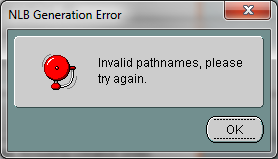
There, nltfiles folder name is displayed twice. Let’s see what happens if we click OK.

Oracle_Locale_Builder_NLB_Generation_Error

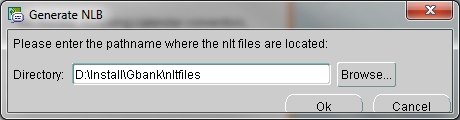
So I decided to delete second nltfiles and click OK.

Note: If you highlight folder where NLT files are, so do not enter inside, and click Open during browsing, everything will be OK.

Oracle_Locale_Builder_Generate_NLB_BrowsePath2

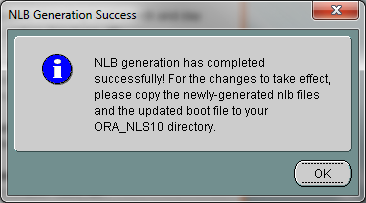
Oracle_Locale_Builder_NLB_Generation_Success

NLB files are located in the same directory where NLT files are so for me it is D:\Install\Gbank\nltfiles.

Just a little advice: Save old lx0boot.nlb and lx1boot.nlb files and then replace them by new one, for to avoid any incompatibility .

Copy all of them and paste into %ORACLE_HOME%\nls\data.

New unicode character set is already installed.To use it, do the following:

1. Start->Run->regedit->HKEY_LOCAL_MACHINE\SOFTWARE\ORACLE\KEY_…-> find and modify NLS_LANG value to AMERICAN_AMERICA.newCharacterSetName(this name can be  found in .nlt file in a  <name> tag for me it is GE8PC866)

2.Open PL/SQL Developer->choose Tools->Preferences…->Fonts->Select-> and then choose Font:.

Retrieve Web-Page Content as XML format in Oracle

In Oracle, there exists a package UTL_HTTP, by which you can make HTTP requests directly from database.
You can use this package if you want to read a webpage.

I will write a simple script, which will send a request to google site and retrieve its content.

declare
v_content  long;
v_url           varchar2(40):=’www.google.com’;
begin
v_content := utl_http.request(v_url);

dbms_output.put_line( v_content );
end;

Note that this code works well if page size is not more than 2GB(Because LONG type saves maximum 2GB).

For larger pages we should use REQUEST_PIECES. By this method you are not limited to 2GB, but  you can indicate maximum bytes by yourself. I will use maximum 100000 bytes.

declare
v_content   utl_http.html_pieces;
v_url            varchar2(25):=’www.google.com’;
begin
v_content := utl_http.request_pieces( v_url,100000);

for i in 1 .. v_content .count
loop
dbms_output.put_line( v_content (i) );
–exit when ( i = 2 );
end loop;
end;

This script will return all content from the web-page. If you want to retrieve just several lines from there, uncomment “exit when ( i = 2 );” and write desired number of lines instead of 2.

Note that the page is returned as an array not as a single variable.

That is all.

LOB datatypes in Oracle

LOBs support storing large, unstructured objects such as audio, video, picture, text, etc.

Before the LOB, there was LONG and LONG RAW datatypes which also were storing large objects. Oracle still supports it, but strongly recommends using LOBs instead of them. LONG and LONG raw have many restrictions and have less opportunity than LOBs. So let’s discuss their differences:

  1. Table can store multiple LOBs, while you are restricted to use only one LONG column per table.
  2. A LOB can store maximum 4GB in Oracle 8, 8TB in Oracle 9i/10g, 128TB in Oracle 11g. While LONG column can store maximum 2GB.
  3. Table containing LOBs can be partitioned, while table with LONG column cannot be partitioned.
  4. When you are using LOBs you are able to access its data randomly, while you must sequentially read LONG type data from beginning to end.
  5. LOBs can be used in user defined data types (except NCLOB), while LONG cannot be used.

LOB datatypes can be stored inline (within a table) or out-of line (within a tablespace, using a LOB locator) or as an external file (BFILE).

BLOB

BLOBs are binary objects, used to store binary, raw data. BLOBs participate into transaction and can be rolled back or committed.

CLOB

CLOBs are character LOBs. Used to store single byte character set (large texts, xml…). They also participate into transactions.

NCLOB

NCLOBs are used to store multi-byte character data, which corresponds to the national character set defined into the database. They also are participating into transactions.

Three of them are types of Internal LOBs; there also exists external LOB called BFILE. It is the single type, which is external.

BFILE

BFILE is short for Binary File, which is stored outside the database. It is stored into the Operating System as a file. It doesn’t participate into transactions. The amount of file is also limited by OS. BFILEs are read only. They only support random reads, means not sequential read. The changes to the BFILEs can be done through OS.


Moving Tables with LOB columns to a diff. tablespace

In the previous post I discussed how to move table and its indexes to a different tablespace, and I also mentioned that moving tables with LOB columns to a different tablespace is performed by the different way. So here it is how to do this.

First of all, let’s create a test table with LOB column.

CREATE TABLE TST_TABLE(
COL_ID          NUMBER CONSTRAINT TEST_PK PRIMARY KEY,
COL_CLOB   CLOB
);

–Insert one row into this table

INSERT INTO TST_TABLE
VALUES(1,’FIRST ROW’);
COMMIT;

–Query it

SELECT * FROM TST_TABLE

–Result

COL_ID   | COL_CLOB
——————————-
1              | <CLOB>

Now let’s check table’s current tablespace.

SELECT TABLE_NAME
,TABLESPACE_NAME
FROM DBA_TABLES
WHERE TABLE_NAME=’TST_TABLE’

–Result

TABLE_NAME  | TABLESPACE_NAME
—————————————————
TST_TABLE     | SYSTEM


Assume that we have already created a test tablespace, let’s say it is called TST_TBS.

–Move table to TST_TBS tablespace

ALTER TABLE TST_TABLE MOVE TABLESPACE TST_TBS

–Let’s check the result

SELECT TABLE_NAME
,TABLESPACE_NAME
FROM DBA_TABLES
WHERE TABLE_NAME=’TST_TABLE’

–Result

TABLE_NAME  | TABLESPACE_NAME
————————————————–
TST_TABLE     | TST_TBS

When you create a table with LOB column, oracle automatically creates LOB segment and LOB index. If you do not indicate their(LOB segment and LOB index) names and where they  should be kept, oracle names them itself and creates in the same tablespace as the table is.

By default, segment name starts with SYS_LOB… and index name starts with SYS_IL…

Let’s check what indexes are already created for our table.

SELECT INDEX_NAME                 AS INDX_NM
,INDEX_TYPE                 AS  INDX_TP
,TABLESPACE_NAME   AS TBS_NM
,STATUS
FROM DBA_INDEXES
WHERE TABLE_NAME=’TST_TABLE’

–Result

INDX_NM                                      | INDX_TP | TBS_NM | STATUS
—————————————————————————————–
SYS_IL0000055912C00002$$| LOB         | SYSTEM  | VALID
TEST_PK                                      | NORMAL | SYSTEM  | UNUSABLE

Or you can query the following to identify segment name and index name.

SELECT COLUMN_NAME           AS CLN_NM
,SEGMENT_NAME        AS SEGMENT
,TABLESPACE_NAME  AS TBS_NM
,INDEX_NAME                AS INDX_NM
FROM USER_LOBS
WHERE TABLE_NAME=’TST_TABLE’

–Result

CLN_NM     |SEGMENT                                         | TBS_NM | INDX_NM
———————————————————————————————————————-
COL_CLOB|SYS_LOB0000055912C00002$$| SYSTEM |SYS_IL0000055912C00002$$

Because of, by default LOB column is stored outside of the table it is still located in the SYSTEM tablespace(was not moved).

In order to move LOB column to a different tablespace, you should run the following command.

ALTER TABLE TST_TABLE MOVE LOB(COL_CLOB)
STORE AS (TABLESPACE TST_TBS);

–Check it

SELECT COLUMN_NAME         AS CLN_NM
,SEGMENT_NAME       AS SEGMENT
,TABLESPACE_NAME AS TBS_NM
,INDEX_NAME               AS INDX_NM
FROM USER_LOBS
WHERE TABLE_NAME=’TST_TABLE’

–Result

CLN_NM     |SEGMENT                                         |TBS_NM  | INDX_NM
———————————————————————————————————————–
COL_CLOB|SYS_LOB0000055912C00002$$|TST_TBS |SYS_IL0000055912C00002$$

Let’s query the following:

SELECT INDEX_NAME               AS INDX_NM
,INDEX_TYPE                AS INDX_TP
,TABLESPACE_NAME AS TBS_NM
,STATUS
FROM DBA_INDEXES
WHERE TABLE_NAME=’TST_TABLE’

–Result

INDX_NM                                       | INDX_TP | TBS_NM | STATUS
——————————————————————————————
SYS_IL0000055912C00002$$ | LOB         | TST_TBS |  VALID
TEST_PK                                       | NORMAL | SYSTEM  | UNUSABLE

As you can see, LOB index was automatically moved to the new tablespace, but normal index still is in the same tablespace. To move it to a different tablespace, run the following:

ALTER INDEX TEST_PK REBUILD TABLESPACE TST_TBS

–Check it

SELECT INDEX_NAME               AS INDX_NM
,INDEX_TYPE                AS INDX_TP
,TABLESPACE_NAME AS TBS_NM
,STATUS
FROM DBA_INDEXES
WHERE TABLE_NAME=’TST_TABLE’

–Result

INDX_NM                                       | INDX_TP | TBS_NM | STATUS
——————————————————————————————
SYS_IL0000055912C00002$$ | LOB         | TST_TBS |  VALID
TEST_PK                                       | NORMAL | TST_TBS |  VALID


After rebuilding an index, it became valid. As I also said in the previous post , if at least one index of the table is not valid DML operations will fail.

Moving tables and indexes to a different tablespace

Moving table to a different tablespace can be done by several ways:

  1. Using Export/Import.
  2. Or by the following clause:

ALTER TABLE schemaName.tableName REBUILD TABLESPACE tablespaceName;

I will discuss the second variant now.

–Let’s create a test table.

CREATE TABLE TESTTABLE(
TESTCOLUMN NUMBER CONSTRAINT TEST_PK PRIMARY KEY
);

–Insert one row into that table

INSERT INTO TESTTABLE
VALUES(1);
COMMIT;

–Let’s see rowid value

SELECT ROWID,TESTCOLUMN
FROM TESTTABLE;

–Result

ROWID                                | TESTCOLUMN
——————————————————–
AAANoRAABAAAPVSAAA  | 1

Before you move table to a different tablespace, you must have created  this tablespace before.

–Now let’s create a test tablespace.

CREATE TABLESPACE testTablespace
DATAFILE   ‘C:\ORACLE\PRODUCT\10.2.0\ORADATA\ORCL\testTablespace01.DBF’
SIZE 5242880
AUTOEXTEND ON NEXT 1310720 MAXSIZE 32767M
LOGGING ONLINE PERMANENT BLOCKSIZE 8192
EXTENT MANAGEMENT LOCAL AUTOALLOCATE
SEGMENT SPACE MANAGEMENT AUTO

–Let’s see table’s current tablespace

SELECT TABLE_NAME,TABLESPACE_NAME
FROM DBA_TABLES
WHERE TABLE_NAME=’TESTTABLE’;

–Result

TABLE_NAME  | TABLESPACE_NAME
—————————————————-
TESTTABLE     | SYSTEM

–Move this table to a test tablespace

ALTER TABLE TESTTABLE MOVE TABLESPACE TESTTABLESPACE;

–See again table’s current tablespace

SELECT TABLE_NAME,TABLESPACE_NAME
FROM DBA_TABLES
WHERE TABLE_NAME=’TESTTABLE’;

–Result

TABLE_NAME  | TABLESPACE_NAME
—————————————————-
TESTTABLE     | TESTTABLESPACE

–Let’s see again rowid value

SELECT ROWID,TESTCOLUMN
FROM TESTTABLE;

–Result

ROWID                                | TESTCOLUMN
——————————————————–
AAANoSAAHAAAAAMAAA | 1

As you can see rowid was changed. It makes indexes of this table unusable. To check it, run the following query.

SELECT INDEX_NAME,TABLE_NAME,STATUS,TABLESPACE_NAME
FROM DBA_INDEXES
WHERE TABLE_NAME=’TESTTABLE’;

–Result

INDEX_NAME | TABLE_NAME | STATUS       | TABLESPACE_NAME
—————————————————————————————–
TEST_PK         | TESTTABLE    | UNUSABLE | SYSTEM

Any DML operation on this table will cause an error, because an index is not valid. Let’s check it:

INSERT INTO TESTTABLE
VALUES(2);
COMMIT;

–Error

ORA-01502: index ‘SYS.TEST_PK’ or partition of such index is in unusable state

This happens because you have moved test table to another tablespace, and this operation changed rowid value. The index still refers to the old rowid value. To solve this, you must rebuild the index.

ALTER INDEX TEST_PK REBUILD TABLESPACE TESTTABLESPACE;

This command will rebuild the index and also moves it to TESTTABLESPACE tablespace. If you want to rebuild index without moving it to another tablespace. Simply, run the following command:

ALTER INDEX TEST_PK REBUILD;

–Let’s check its status

SELECT INDEX_NAME,TABLE_NAME,STATUS
FROM DBA_INDEXES
WHERE TABLE_NAME=’TESTTABLE’

–Result

INDEX_NAME | TABLE_NAME | STATUS  | TABLESPACE_NAME
—————————————————————————————
TEST_PK         | TESTTABLE    | VALID       | TESTTABLESPACE

You must do this action for each index, to make DML operation resumable on this table.

Note that, if table contains LOB columns this variant doesn’t work. Moving tables with LOB columns to another tablespace is discussed here.

Oracle 10g RAC Single Node Installation on Solaris 10

1. Pre-Installation Tasks

Create oracle user and appropriate groups

First of all, you should have already mounted /u0 on some slice of disk. If you don’t know how to mount directory on disk Smile click here.

Go to the folder /u0 and create the following directories.

cd /u0 mkdir –p app/oracle

Create oinstall and dba groups.

groupadd oinstall groupadd dba

Create oracle user and assign it oinstall and dba groups.

useradd –s /bin/ksh –d /u0/app/oracle –g oinstall –G dba oracle

Where,
-s option  specifies the user default  shell (i.e. Korn shell) ,
-d option specifies the home directory for oracle user (i.e.  /opt/app/oracle ) ,
-g option specifies the primary group (i.e. oinstall)
-G option specifies the secondary  group (i.e. dba)

Make oracle user as the owner of app folder.

chown –R oracle:oinstall app

Change the password for oracle user.

passwd oracle

Configuring SSH

Create RSA and DSA keys on each node.

Log in as the oracle user and go to the ORACLE_BASE directory(For me oracle_base directory is /u0/app/oracle).

mkdir .ssh

Generating RSA and DSA keys.

/usr/bin/ssh-keygen -t rsa /usr/bin/ssh-keygen -t dsa

Add keys to an authorized key file, this file should exist in .ssh directory. If it doesn’t exist, create it. Change your direction to .ssh directory and run the following.

ssh charly1 cat /u0/app/oracle/.ssh/id_rsa.pub >> authorized_keys ssh charly1 cat /u0/app/oracle/.ssh/id_dsa.pub >> authorized_keys

Enabling ssh user equivalency.

/usr/bin/ssh-agent $SHELL /usr/bin/ssh-add

To prevent Oracle clusterware installation errors caused by stty commands, add the following text in oracle user’s profile (you should change your directory to oracle home directory and open “.profile” for editing).

if [ -t 0 ]; then stty intr ^C fi

Network Requirements

We should create second IP interface.
Open or create the file /etc/hostname.e100g1 and enter the following text:

Host1-priv

Add the following entries into /etc/host file:

20.0.0.100           Host1 loghost 192.168.2.117   Host1-priv 20.0.0.105          Host1-vip

Where 192.168.2.117 is a private IP address and 20.0.0.105 is a virtual IP address of the server.

Connect as a root user and create /etc /hosts.equiv file. Then open this file for editing and enter the following text:

Host1 oracle

Configuring Kernel Parameters

To add the system parameters open /etc/system file and add the following entries:

set shmsys:shminfo_shmmax = 4294967295 set shmsys:shminfo_shmmin = 1 set shmsys:shminfo_shmmni = 100 set shmsys:shminfo_shmseg = 10 set semsys:seminfo_semmni = 100 set semsys:seminfo_semmns = 1024 set semsys:seminfo_semmsl = 256 set md:mirrored_root_flag=1 set noexec_user_stack=1

Identifying Required Software Directories

Creating an Oracle Base Directory

mkdir -p /u0/app/oracle chown -R oracle:oinstall /u0/app/oracle chmod -R 775 /u0/app/oracle

Creating the Oracle Clusterware Home Directory

mkdir -p /u0/app/oracle/product/10.2.0/crs chown -R root:oinstall /u0/app/oracle/product/10.2.0/crs chmod -R 775 /u0/app/oracle/product/10.2.0/crs

2. Installing Oracle Clusterware

First of all, you should download Oracle Clusterware from the oracle site.

Verifying Oracle Clusterware Requirements with CVU

Extract downloaded file and run runcluvfy.sh file, which should be located in clusterware/cluvfy folder.

./runcluvfy.sh comp nodecon -n Host1 –verbose

Installing Oracle Clusterware with OUI

Initialize the devices that you want to use for the Oracle Cluster Registry (OCR) and Voting Disk(VD)

1.Voting file– uses by the cluster synchronization service deamons for monitoring information across the cluster. It’s size around 20MB(use format utility and reserve 200MB on 5th slice)

2. Oracle cluster registry(OCR file) it maintain information about the high-availability components such as cluster node list, CRS application profiles(Virtual interconnect protocol address, services). It’s size around 200MB(use format utility and reserve on 7th slice)

For voting disk

dd if=/dev/zero of=/dev/rdsk/c5t200g35A100TK170Ta00ds5 bs=125829120 count=1 chown oracle:dba /dev/rdsk/c5t200g35A100TK170Ta00ds5
chmod 660 /dev/rdsk/c5t200g35A100TK170Ta00ds5

For OCR

dd if=/dev/zero of=/dev/rdsk/c5t200g35A100TK170Ta00ds7 bs=125829120 count=1 chown root:dba /dev/rdsk/c5t200g35A100TK170Ta00ds7
chmod 660 /dev/rdsk/c5t200g35A100TK170Ta00ds7

Connect as the oracle user and run runInstaller.sh, located in CRS installation.

./runInstaller

Specify Inventory Directory and Credentials

Specify Home Details

Product-Specific Prerequisite Checks

Specify Cluster Configuration

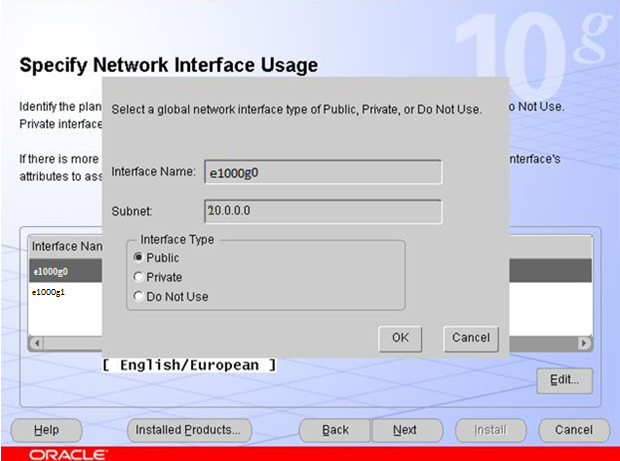
Specify Network Interface Usage

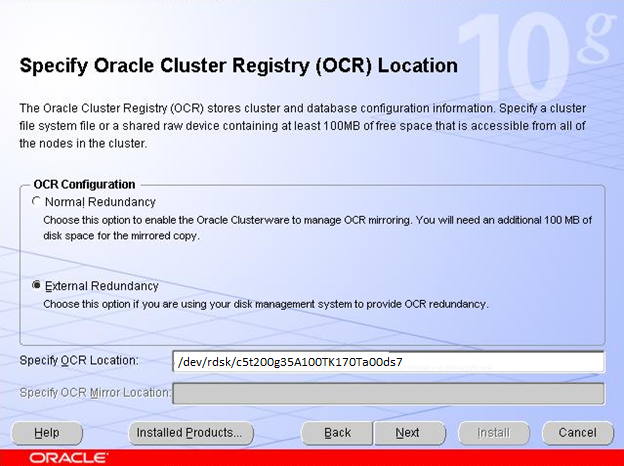
Specify OCR Location

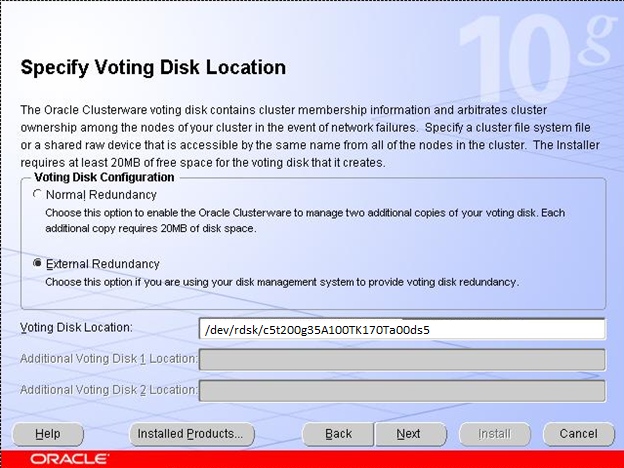
Specify Voting Disk Location

OrainstRoot.sh and root.sh

Run these scripts and then click OK.

OUI-25031

Now we should run ./vipca and configure Host1-vip virtual ip address(20.0.0.105).

Go to the installation window, click ok and retry install failed component.


Installing Oracle database files


Welcome_Oracle_OUI

Select Installation Type

Specify Home Details

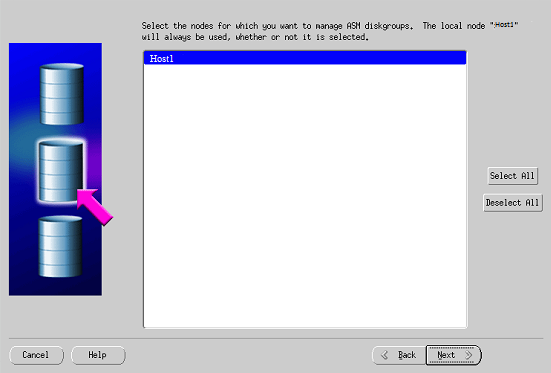
Specify Hardware Cluster Installation Node

Product-Specific Prerequisite Ckecks

Select Configuration Option

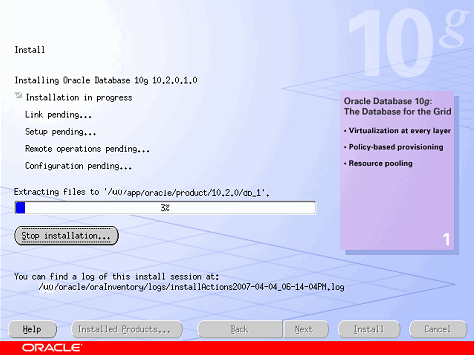
OUI_Install

Run root.sh script and click OK, then click Exit button.

Configure oracle listener by netca.

Configuring ASM

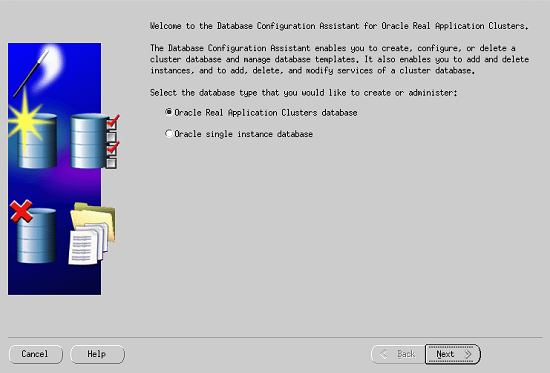
DBCA Oracle RAC

Configure ASM

ASM diskgroups

ASM Instance

{ORACLE_HOME}/dbs/spfile+ASM error

DBCA will create and start ASM

No diskgroups

Run the following command, for to make oracle user owner for the following disk slice

chown oracle:oinstall /dev/rdsk/c5156D778A145a11d0s6

DG_DATA Disk group Name

Choose Disk group

Perform Another Operation Alert

Creating database using DBCA


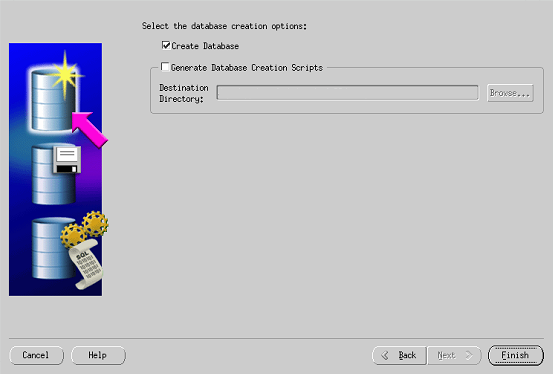
DBCA RAC Database

DBCA Create a Database

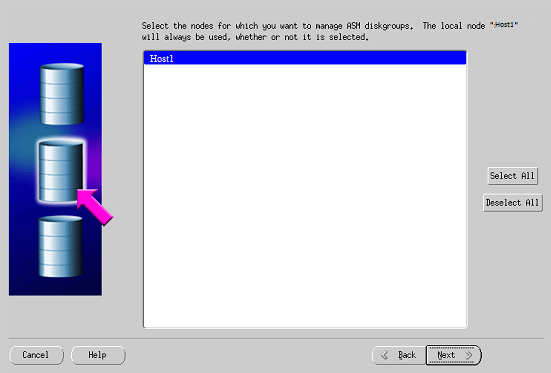
Choose Node

DBCA general purpose

Global Database Name

Click Next>> and check/uncheck Configure the Database with Enterprise Manager.

Specific Passwords for accounts

ASM

SYS password for ASM Alert

Choose Disk Group

Use OMF

Enable Archiving

Sample Schemas

DBCA Memory tab

DBCA General tab

DBCA Create Database

Fine-Grained Auditing

As I discussed in “Oracle Database Auditing” post oracle auditing is a very powerful utility. Using this option you are able to identify users’ activities, object access and so on..

As we know there exist four types of auditing: statement, object, privilege and fine-grained auditing. I will discuss fine-grained auditing, because previous three options are clarified in “Oracle Database Auditing” post. FGA can be defined only for table and optionally on column.

Fine-grained auditing uses PL/SQL package DBMS_FGA, which has the following methods: creating , dropping, enabling and disabling policies. We will identify which policies are created in the database and also see the audit logs.

Creating FGA Policy

DBMS_FGA.ADD_POLICY method is used for creating FGA policy. Which has the following parameters:

[object_schema] -Username, which owns the object that should be audited.Default is NULL, means current schema.

object_name -Name of the object that should be audited.

policy_name -Unique name for the policy.

[audit_condition] -If the condition, indicated here, evaluates to true or null(both of them are default) audit entry will be created. Note that this condition cannot directly use the following functions: USERENV, USER, SYSDATE, UID. It cannot use sequences or subqueries. Also it can not reference LEVEL, PRIOR, or ROWNUM pseudocolumns.

[audit_column] -List of columns, delimited by comma, on which audit option will be identified. The default value is NULL, means that any column.

[handler_schema] -Username, which owns event handler procedure. The default value is NULL, means current schema.

[handler_module] -The procedure name, which handles the event. The default is NULL, means not to use event handler procedure.If the procedure is in package, then you should indicate the whole name, for example, DBMSOBJG.GET_TAB_SPACE.

[enable] -Values are true or false. Indicates if this policy should be enabled or disabled. The default is TRUE.

[statement_types]-Values are SELECT, INSERT, UPDATE, and DELETE(comma delimited list). Indicates which DML statement should be audited.The default is SELECT.

[audit_trail] -Value DBMS_FGA.DB_EXTENDED(default) indicates that  database should record sql text and bind variables also. Other available value is and DBMS_FGA.DB indicates that db should not save sql text and bind variables.

[audit_column_ops]– Value DBMS_FGA.ALL_COLUMNS indicates that all columns listed in AUDIT_COLUMN parameter must be referenced in order to create audit record. Other value is DBMS_FGA.ANY_COLUMNS(default) means that if any column will be referenced audit record will be created.

Note that parameters that are enclosed by ‘[‘ and ‘]’ are optional, others are mandatory.

For example:

–Assume we are connected as sys user.

BEGIN
    DBMS_FGA.ADD_POLICY(
        object_schema=>'HR'
        ,object_name=>'EMPLOYEES'
        ,policy_name=>'EMPTABLE_AUD'
        ,audit_column=>'SALARY, COMMISSION_PCT'
        ,enable=>FALSE
        ,statement_types=>'SELECT,DELETE,INSERT');
END;

Enabling FGA Policy

If the policy is already enabled, enabling it once more will not give you an error. DBMS_FGA.ENABLE_POLICY is a method which enables it.

For example:

BEGIN
   DBMS_FGA.ENABLE_POLICY(
        object_schema=>'HR'
        ,object_name=>'EMPLOYEES'
        ,policy_name=>'EMPTABLE_AUD');
END;

Disabling FGA Policy

DBMS_FGA.DISABLE_POLICY is a method for disabling policy.

For example:

BEGIN
   DBMS_FGA.DISABLE_POLICY(
        object_schema=>'HR'
        ,object_name=>'EMPLOYEES'
        ,policy_name=>'EMPTABLE_AUD');
END;

Dropping FGA Policy

DBMS_FGA.DROP_POLICY is a method for dropping policy.

For example:

BEGIN
   DBMS_FGA.DROP_POLICY(
        object_schema=>'HR'
        ,object_name=>'EMPLOYEES'
        ,policy_name=>'EMPTABLE_AUD');
END;

Identifying FGA Policies in the Database

DBA_AUDIT_POLICIES it a view which shows all FGA policies enabled in your database.

–Query this

SELECT object_schema||'.'||object_name as Audited_Object
       ,policy_column
       ,policy_name
       ,enabled
       ,audit_trail
FROM dba_audit_policies;

–Result

AUDITED_OBJECT | POLICY_COLUMN | ENABLED | AUDIT_TRAIL
-------------------------------------------------------
HR.EMPLOYEES   | SALARY        | YES     |DB+EXTENDED

Viewing FGA logs

DBA_FGA_AUDIT_TRAIL is a view which shows audited logs, that have been written to the database.

–Query this

SELECT db_user
       ,timestamp
       ,userhost
       ,sql_text
FROM dba_fga_audit_trail
WHERE policy_name='EMPTABLE_AUD'

–Result

DB_USER|TIMESTAMP            |USERHOST  |SQL_TEXT
-------------------------------------------------------------
SCOTT  |2/16/2011 10:05:16 AM|ADA0\SCOTT|select * from employees

Identifying Unused Objects in Database

Sometimes in the database, there exist objects that have never been used. As you can guess they are junk objects and are waisting necessary space in the database. So we should identify them and remove from the DB. Oracle offers us some useful techniques to do this.

First of all, you should turn on monitoring process on that objects that are the most candidates of junk.

For example:

Assume that index sal_indx is considered to be the object, which has never been used. For to identify it, let’s turn on monitoring on that index.

–In your schema

alter index sal_indx monitoring usage;

–In other schema

alter index schemaName.sal_indx monitoring usage;

To check if it is monitored, query the following view

select index_name
       ,table_name
       ,monitoring as mon
       ,used
       ,start_monitoring
from v$object_usage;

–The Result

INDEX_NAME | TABLE_NAME | MON | USED | START_MONITORING
-----------------------------------------------------------
SAL_INDX   | SALARY     | YES | NO   | 02/13/2011 21:48:25

Note: the result shows that this index has not been used since we tuned on monitoring, but it still doesn’t mean that this object is junk. It depends on what is the maximum period of time in which this object should be used. For example, if you know that this object should be used minimum once in a day, let it to be monitored till tomorrow, then query again v$object_usage view and you will see if this object has been used since yesterday or not and identify its necessity.

For example, someone run the following query:

select *
from salary
where id=1;

Assume that index sal_indx is created on id column of salary table.

–Check again the v$object_usage view

select index_name
       ,table_name
       ,monitoring as mon
       ,used
       ,start_monitoring
from v$object_usage;

–The Result

INDEX_NAME | TABLE_NAME | MON | USED | START_MONITORING
-----------------------------------------------------------
SAL_INDX   | SALARY     | YES | YES  | 02/13/2011 21:48:25

From here you can identify that this index is necessary and should not be removed from database.

Turning Off Monitoring

–In your schema

alter index sal_indx nomonitoring usage;

–In other schema

alter index schemaName.sal_indx nomonitoring usage;

–Check if the monitoring is disabled

select index_name
       ,table_name
       ,monitoring as mon
       ,used
       ,start_monitoring
from v$object_usage;

–The Result

INDEX_NAME | TABLE_NAME | MON | USED | START_MONITORING
-----------------------------------------------------------
SAL_INDX   | SALARY     | NO  | YES  | 02/13/2011 21:48:25

Oracle Database Auditing

Oracle auditing is a very powerful thing. It gives you the ability to track of users’ activities.
You can simply identify what they are doing to your DB:).

Audit records can be stored in Operating System files on in Database. Initialization parameter audit_trail identifies where audit logs should be saved.

–To save it in OS, open initSID.ora parameter file and add/change the following parameter:

*.audit_trail = OS

–To save it in Database:

*.audit_trail = DB

There exists additional option when you are saving logs in the database. If you set audit_trail parameter to db_extended, it will tell the database to record audit records in the database together with bind variables (SQLBIND) and also (SQLTEXT).

*.audit_trail = DB_EXTENDED

–To see if it is enabled, query the following:

select name,value
from v$parameter
where name='audit_trail' ;

–My result is:

NAME        VALUE
------------------
audit_trail DB

Note you should reboot the database for the change to take effect.

In my case logs will be recorded in SYS.AUD$ table. But if you set audit_trail=OS, then you should also indicate where to save log files. Initialization parameter audit_file_dest indicates it. Default is:

–In Windows

%ORACLE_BASE%\ADMIN\ORCL\ADUMP

–In Unix

$ORACLE_HOME/rdbms/audit

There are four levels of auditing: statement, privilege, object, and fine-grained access.

1. Statement Auditing

This auditing involves monitoring of execution of SQL statements.

For example:

audit create table;
audit drop table;
audit truncate table;

–Or simply

audit table;

You also have the ability to audit statements executed by some special user.

For example:

audit create table by mkupatadze;

Or you can audit statements executed by some special user whenever this SQL statement fails or successes.

For example:

audit create table by mkupatadze whenever not successful;

or

audit create table by mkupatadze whenever successful;

Default is both of them successful and not successful.

Other options which you can use in auditing are by access and by session.
By access – one audit record will be created for each executed statement.
By session -oracle will try to merge multiple audit entries into one record when the session and the action audited match. But it only works for SQL statements other than DDL.

If statement is DDL then oracle behaves as if you indicated by access option. So one audit record will be created for each executed DDL statement doesn’t matter which option you indicated.(It is very important to note)

For example:

audit create table by mkupatadze by access whenever successful;

So one audit record will be created for each executed create table statement by mkupatadze user whenever it is successful.

1.1 Identifying Enabled Statement Auditing Options

–Query the following view:

select user_name
       ,audit_option
       ,success
       ,failure
from dba_stmt_audit_opts

–My result

USER_NAME   | AUDIT_OPTION | SUCCESS    | FAILURE
--------------------------------------------------------
MKUPATADZE  | CREATE TABLE | BY ACCESS  | BY ACCESS

1.2 Disabling Statement Auditing

noaudit table;
noaudit create table by mkupatadze;

Note that whenever successful or whenever not successful options is not necessary.

2. Privilege Auditing

This audit option audits privileges, for example, select any table,create any table… and so on..

Audit Example:

audit create any table;
audit create any table by mkupatadze;
audit create any table by mkupatadze by access;
audit create any table by mkupatadze by access whenever successful;

In the first example, one audit record will be created for each executed create any table statement. The second one specifies the user…Other examples are self-explanatory.

2.1 Identifying Enabled Privilege Auditing Options

–Query this

select user_name
       ,privilege
       ,success
       ,failure
from dba_priv_audit_opts

–My result

USER_NAME |PRIVILEGE       |SUCCESS  |FAILURE
----------------------------------------------
NULL      |CREATE ANY TABLE|BY ACCESS|BY ACCESS
MKUPATADZE|CREATE ANY TABLE|BY ACCESS|BY ACCESS

2.2 Disabling Privilege Auditing

noaudit create any table;
noaudit create any table by mkupatadze;
noaudit create any table by mkupatadze whenever successful;

Note that if you have enabled auditing for some user,in my case mkupatadze, you must indicate by username clause to disable it. As you have seen in previous section, two different records were created in dba_priv_audit_opts for mkupatadze and for other users.

Also note that by access or by session clauses must not be specified, or it gives an error.

3. Object Auditing

Auditing the execution of SQL statements that require a specific object privilege, such as SELECT, INSERT, UPDATE, DELETE, or EXECUTE. It is enabled for all users or no users, means that you can not specify special user like it was in previous auditing options.

For example:
audit select on hr.employees;
audit select on hr.employees by access;
audit select on hr.employees by session whenever successful;

3.1 Identifying Enabled Object Auditing Options

–Query this

select owner
        , object_name
        , object_type
        , del
        , sel
from dba_obj_audit_opts

–My result

OWNER     |OBJECT_NAME|OBJECT_TYPE|DEL|SEL
------------------------------------------
MKUPATADZE|EMPLOYEES  |TABLE      |-/-|S/A

Note that I have selected just DEL and SEL, there are many. DEL means delete object privilege, SEL means select object privilege.
The symbol “-” means that no audit option is enabled.
“A” means by access.
“S” means by session.
From “S/A” means that by session auditing is enables when it is successful and by access auditing is enabled when it is not successful.
So first place is for successful and second one for not successful auditing.

3.2 Disabling Object Auditing

noaudit select on hr.employees;
noaudit select on hr.employees whenever successful;

Note that by access or by session must not be specified.

See Audit Logs

The view dba_audit_trail is based on the SYS.AUD$ table. So if you query from this view, you will see the content of SYS.AUD$ table.

select username, timestamp, action_name
from dba_audit_trail

or

select * from sys.aud$

Purging Audit Logs

You can manually delete records from sys.aud$ table or create a job which periodically purges the table. SYS.AUD$ table is created in SYSTEM tablespace by default.

To manually purge audit records older than 60 days, execute the following as user SYS:

delete from sys.aud$ where timestamp# < sysdate-60;
Some aspects in this post is from Sybex.OCA.Oracle.10g.Administration.I.Study.Guide.1Z0-042 book.

Securing the Oracle Listener

Oracle listener is a server process, which listens incoming connections on the specified port(default is 1521) and redirects them to the database server. It is not limited to database connections, but it also can be used to access executable programs on the database server. As you can guess executing external procedures sometimes is not secure, because listener can be used by hackers to execute malicious programs.

There are several security options:

1.Setting the password for listener

It can be accomplished by the several ways:

1.1. Add the following entry to the listener.ora file.

PASSWORD_LISTENER=YourPassword

–Reload the listener

lsnrctl>reload

Note that password, in this case, is a plain text.

1.2. Using CHANGE_PASSWORD command

lsnrctl> change_password
Old password:
New password:
Reenter new password:
....

Note that Old password option asks you to enter the old password for listener, but if it doesn’t exist(means that listener currently not have the password) press the Enter key(do not enter anything).

You should save the configuration of the listener. Before saving, set its password, because listener is governed by the password right now and for to save the configuration you should enter the password for the listener.

lsnrctl> set password
Password:
lsnrctl> save_config

–To check, open listener.ora file and you will see the entry like this:

#----ADDED BY TNSLSNR 06-FEB-2011 23:40:18---
PASSWORDS_LISTENER = ADD733DA61CD19A5
#--------------------------------------------

Note that the password is in an encrypted format.

2. Controlling the Access

Valid Node Cheching it the functionality by which access can be controlled for some specific hosts.

This functionality is implemented by manually adding some entries to sqlnet.ora file.

Valid entries are:

TCP.VALIDNODE_CHECKING – YES/NO, its value should be YES to enable valid node checking.

TCP.INVITED_NODES – values are ip addresses or hostnames, from where requests can be accepted.

TCP.EXCLUDED_NODES – values are ip addresses or hostnames, from where requests should not be accepted.

Note that just one option TCP.INVITED_NODES or TCP.EXCLUDED_NODES may be specified, not both of them. Because they are mutually exclusive. Also wild card values can not be used, each individual ip/hostname should be specified.

For example:

We need to configure oracle net configuration like that just request from 192.168.11.2 and Reichel can be accepted. To do this, we should add the following entries to sqlnet.ora file:

tcp.validnode_checking=yes
tcp.invited_nodes=(192.168.11.2, Reichel)

–Restart the listener

lsnrctl> stop
lsnrctl> start

3. Using the Listener Logging

Enabling this feature gives you an ability to track down all listener activities. For example, it may contain brute force password attack symptoms. Error TNS-01169 in the log file indicates that someone was trying to enter the password for the listener but failed.

To turn on the logging, the following parameters should be used:

LOG_DIRECTORY – location where log files should be created.

LOG_FILE – name of the log file.

LOG_STATUS – ON/OFF , to enable logging set its value to ON.

lsnrctl> set log_directory C:\oracle\product\10.2.0\oralsnrlogs
lsnrctl> set log_file listener_ora.log
lsnrctl> set log_status on

You should save the configuration. Restarting listener is not necessary.

4. Removing External Procedure Services

This service is defined in listener.ora file.

–listener.ora file.

SID_LIST_LISTENER =
(SID_LIST =
(SID_DESC =
(SID_NAME = ORCL)
(ORACLE_HOME = C:\oracle\product\10.2.0\db_1)
(PROGRAM = ORCL)
)
(SID_DESC =
(SID_NAME = PLSExtProc)
(ORACLE_HOME = C:\oracle\product\10.2.0\db_1)
(PROGRAM = extproc)
)
)
LISTENER =
(DESCRIPTION_LIST =
(DESCRIPTION =
(ADDRESS = (PROTOCOL = TCP)(HOST = Mariami-PC)(PORT = 1521))
(ADDRESS = (PROTOCOL = IPC)(KEY = EXTPROC0))
)
)

Underlined rows need to be removed. After removing reload the listener.

5. Creating a Separate Listener for External Procedures

I think that this choice is better than explicitly removing external procedure entries from listener.ora file. You can run another lister, which listens just external procedures, under limited operating user or limit the libraries from which procedures can be executed.

5.1 Executing listener under limited OS user

When external procedure is called it runs the extproc agent process, which inherits privileges from OS user under which the listener process was started.

This user should not have any permission to access files owned by oracle user account.No permission to read data files. For this user, listener.ora file must be readonly.

5.2 Limiting libraries

As I said you can  limit libraries from where external procedures can be executed. You can do it by the following way:

–In listener.ora file

(ENVS="EXTPROC_DLLS=ONLY:/usr/libjava.so:/usr/lib/libz.so,PATH=$PATH")

ENVS -is used to define any environment variable.
EXTPROC_DLLS -list of libraries that can be accessed,list is separated by colon.
ONLY – only specified libraries list.

6. ADMIN_RESTRICTIONS Parameter

If the value of this parameter is ON in listener.ora file, than listener file can only be modified manually. It disallows all SET commands.

Above post is extracted and modified from Sybex.OCA.Oracle.10g.Administration.II.Study.Guide.1Z0-042